

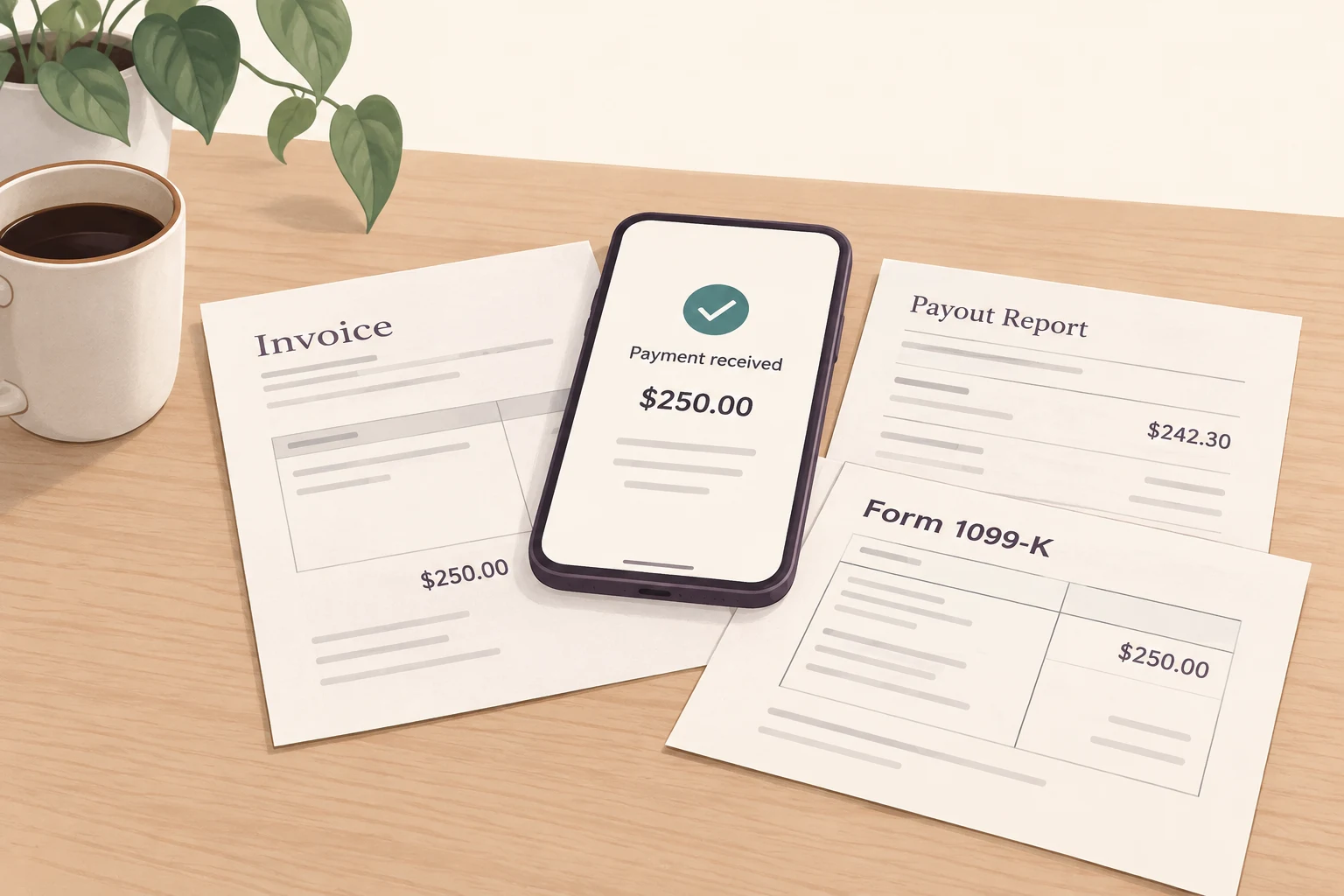
Record each payment your business receives only once, and then follow it to see what happens to it: refunds, fees, payments still processing, or funds that have been received. Compare a tax form to the payments included in that tax form, rather than to your bank deposit reports. I would take a transaction record that you can explain over a record that shows the most official-looking total.[1][3][4][7]
Picture me, in an imagined evening at the kitchen table, switching between three different reports that I have downloaded, and that take long to generate, while dinner goes cold. One report says, “gross.” Another says, “paid out.” The bank shows a figure even lower. I’m tempted to change my spreadsheet total. Instead, I label what the numbers represent before anything changes.
Start with the payment, not the deposit
A $100 customer payment might appear in your invoice system, marketplace export, processor report, and bank statement. Those are records of one payment moving through your business, not four sales. Link them using the invoice, order, or transaction ID. Include business payments received outside those platforms, too; a tax form isn’t a complete list of your income.[2][7]
Start with a simple spreadsheet to capture payments and add fields to explain the payment in more detail. Be sure to link adjustment rows to show the payment in its original form, rather than silently modifying the payment to zero.
- Customer or payment source, invoice/order ID, processor transaction ID, and receiving account.
- Gross payment amount and currency; classification as business payment, personal transfer, or another identified category.
- Payment date and funds-available date, kept separately.
- Refunds, chargeback principal, processing fees, dispute fees, and reversals, with their dates and linked IDs.
- Include payout ID, payout date, bank posting date, and a link to the supporting export or receipt.
Three totals that can all be right
Here’s a hypothetical September for a service business using one processor. It starts with $200 already in the processor account. Assume the $100 chargeback is a lost dispute with no later reversal. There’s no sales tax, foreign currency, backup withholding, or inventory in this example.
| Activity | Amount | Running processor balance |
|---|---|---|
| Opening balance | $200 | $200 |
| Customer charges | +$3,000 | $3,200 |
| Refunds | , $150 | $3,050 |
| Processing fees | , $90 | $2,960 |
| Lost chargeback principal | , $100 | $2,860 |
| Dispute fee | , $15 | $2,845 |
| Payouts sent | , $2,500 | $345 |
| Closing processor balance | $345 |
You can check the processor balance in one line: $200 + $3,000, $150, $90, $100, $15, $2,500 = $345. Then check where the payouts went. Of the $2,500 sent, $2,300 posted at the bank in September and $200 arrived October 2: $2,500, $200 = $2,300 deposited. Assume no September payouts arrived during that month.
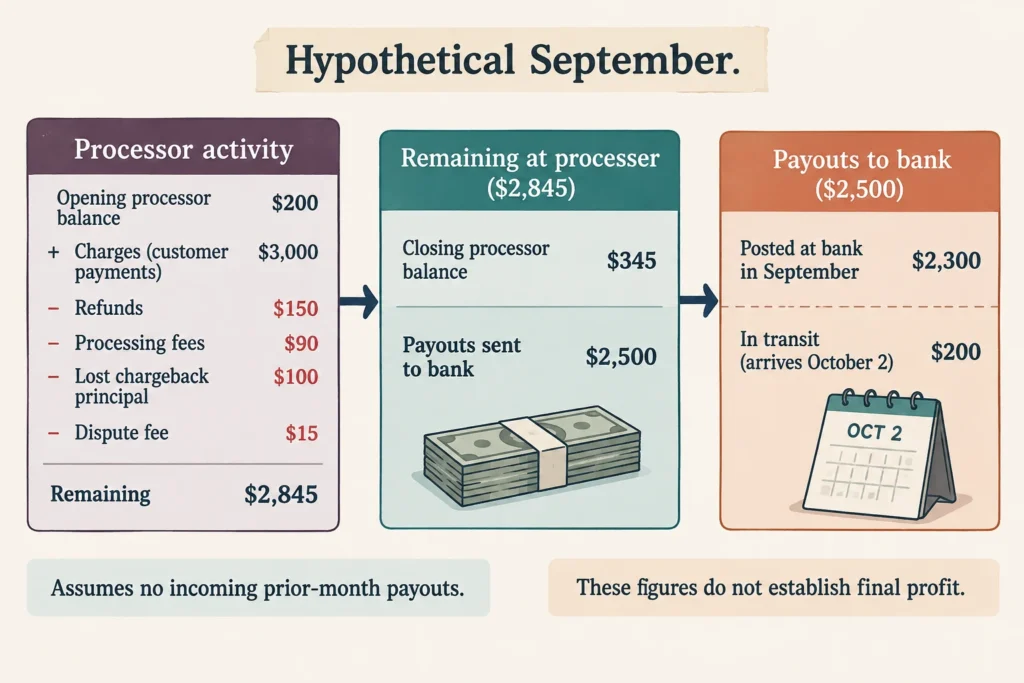
That’s where the apparent missing money is: $345 still with the processor and $200 already in transit. Neither is another sale. I’d keep those amounts separate rather than lumping them into “not deposited,” because you’ll need different records to check each one. Stripe’s balance report supports the opening-to-closing calculation, while its payout reconciliation report links automatic payouts to their included transactions. Manual withdrawals may need a balance-based reconciliation instead.[3][4]
For the month’s activity alone, there were $3,000 in charges, $150 in refunds, leaving $2,850. Subtract $100 lost chargeback, $90 in processing, and $15 in dispute, leaving $2,645. Business expenses (e.g., software, supplies, ads) need to come out before profit can be declared. The $2,300 bank deposit answers a different question: how much did you put in the bank in the month of September, including money carried in, and excluding money still to be deposited?
Don’t subtract the same adjustment twice
When starting with net payouts, processing fees have already been removed. Subtracting them again gives a misleading statement of what is left. I like to start with gross payouts to maintain a record of all reductions. Keep the chargeback principal separate from the dispute fee and record a later principal chargeback as a related party chargeback, not as new customer sale.[3][4]
Moving your own money between accounts is not business income. Nor is money received from friends for reimbursement of personal money paid out, or the selling of a personal item. Gifts require separate treatment.[1][8]
Match the tax form to its own payment list
A 1099-K showing more than your deposits isn’t, by itself, evidence of a mistake: it reports gross payments without subtracting fees or refunds. Compare the same account, tax year, currency, and included transactions. Ask the issuer for its form-specific reconciliation export. Another dashboard summary may repeat the mismatch if its “sales” total uses a different date field or subtracts adjustments.[1][2][5]
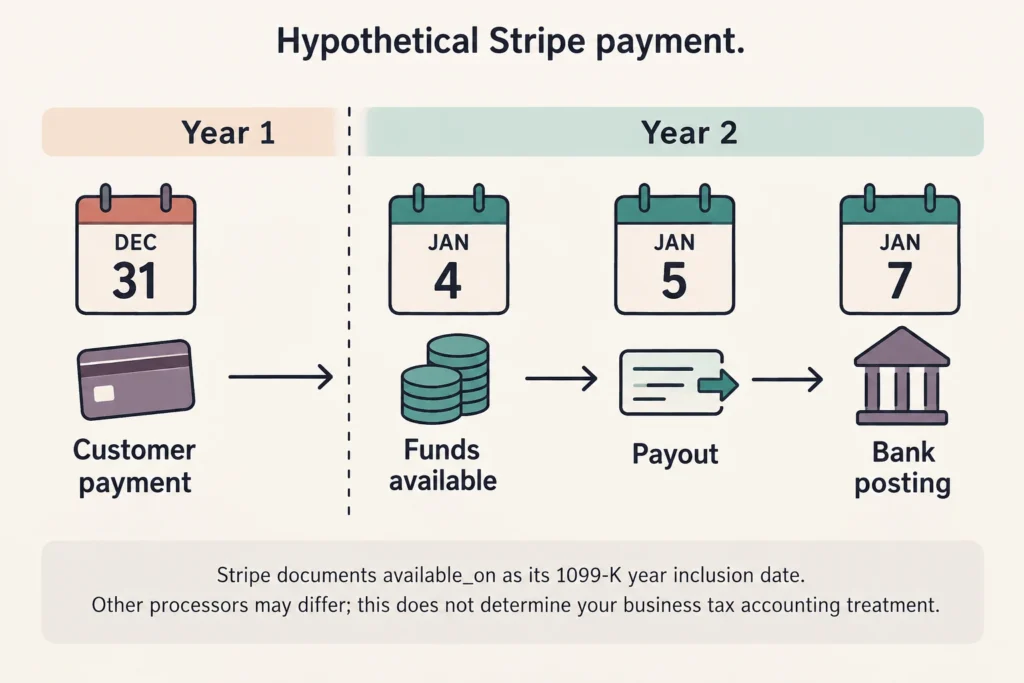
The date field can be the whole explanation. Stripe uses the payment balance transaction’s available_on date to decide which year’s 1099-K form to file. Therefore, a payment dated December 31 that gets settled and made available to Stripe on January 4 will show up on the following year’s 1099-K form calculation. This example shows how Stripe creates their 1099-K forms, and doesn’t explain how other processors create their forms, and won’t explain how your business recognizes taxable income. Stripe cites rounding and currency conversions as two of the many reasons the figures on the 1099-K forms may not match your records.[5]
Continue recording business payments even if a form does not arrive. Current IRS guidance generally requires third-party settlement organization reporting when gross payments exceed $20,000 and there are more than 200 transactions; payment-card reporting has no minimum threshold. Forms may also be issued below the federal threshold. Those rules concern reporting, not whether your income is taxable.[2]
When the difference really is an error
If a payment is reported more than once, e.g. reported by the client and also reported by the processor, and both the client and processor forms cover the same payment, then the business only made the sale once, and according to the IRS, the payment should not also be reported on a 1099-NEC or 1099-MISC. Match the payment ID, date and amount, then request a correction; it is possible that two forms covering separate payments were issued.[6]
Contact the issuer of an incorrect 1099-K to request a correction. If the form was issued in error and the entire form should not have been issued, request a corrected form showing a zero balance. Keep the original, correction, and correspondence. The IRS says not to delay filing solely while waiting for the correction.[1]
Beginning in 2024, the IRS FAQs say that taxpayers should enter uncorrected erroneous 1099-K amounts in the space provided at the top of Schedule 1. Use the instructions for your return year and not an older article and its offsetting-entry method. It is not erroneous gross reporting to reduce what you kept.[1][8]
Leave a trail someone else can follow
Save readable exports of your transactions, opening and closing balances, payouts, your bank statements, invoices and refund receipts, as well as your tax forms. If you select a time range on the report, export that range along with the report settings each time. You shouldn’t have to guess what settings and time range you’ve selected a couple months later. The IRS says that to support a payment amount and/or a deduction, a taxpayer should maintain records that explain the payment, the amount of the payment and the source of the payment.[7]
If you still have a gap, name it precisely: “This account’s form exceeds its included transaction list by $420.” Attach an explanation of the gap and affected transaction IDs, including your calculations and support. Send unresolved tax classification and duplicate-form questions to your CPA or EA with your Processor packet. I wouldn’t add an unexplained sale just to make the ledger match an official-looking form. Leave the difference in the account until you can explain the difference.
Sources and references
- Internal Revenue Service: What to do with Form 1099-K
- Internal Revenue Service: Form 1099-K FAQs: General information (2025-10-23)
- Stripe: Balance summary report
- Stripe: Payout reconciliation report
- Stripe: 1099-K forms issued by Stripe: Reconciliation Report
- Internal Revenue Service: Form 1099-K FAQs: Third party filers of Form 1099-K (2025-10-23)
- Internal Revenue Service: Publication 583 (12/2024), Starting a Business and Keeping Records (2024-12)
- Internal Revenue Service: Form 1099-K FAQs: Common situations (2025-10-23)
